
FAQ
When troubleshooting knowledge base issues, first determine whether the failure occurs during import, parsing, chunking, retrieval, or response generation. Change only one variable at a time to identify which adjustment is actually effective.
5-Step Quick Diagnosis
1. Check Document Status
Documents should be in Ready status. If they remain in processing or show errors, review the error messages and ensure the file, processor, and model service are available.
2. Check Parsed Text
Open the text preview to confirm the answer exists, verify that scanned text has been recognized, and ensure two-column layouts and tables are not out of order.
3. Check Chunks
Ensure the conditions and conclusions required by the question are contained within coherent segments. Prevent headers, footers, and tables of contents from dominating the results.
4. Run Retrieval Tests
Check source names, relevance scores, and chunk content. Missing correct chunks and correct chunks ranking low are two distinct issues.
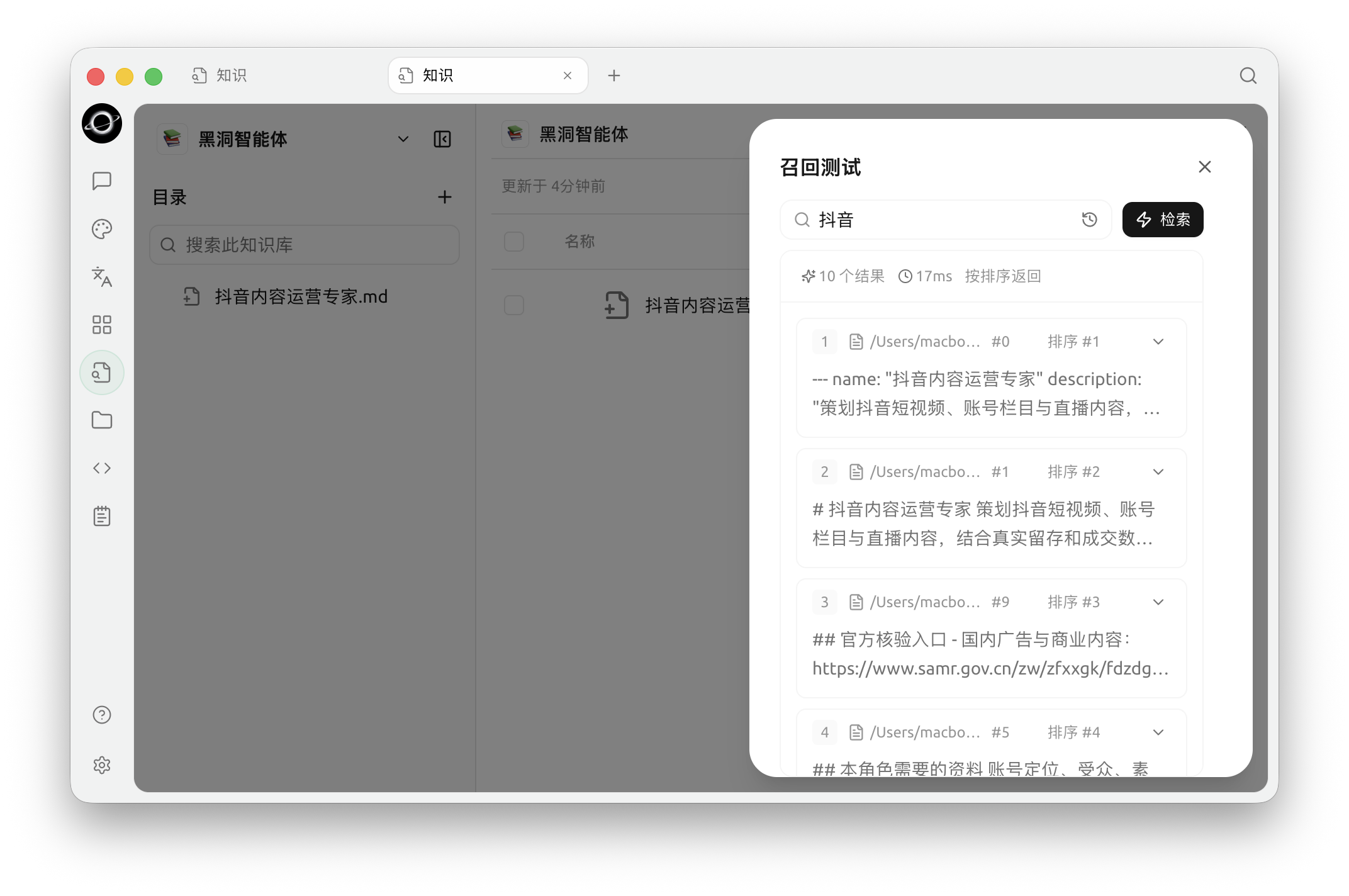
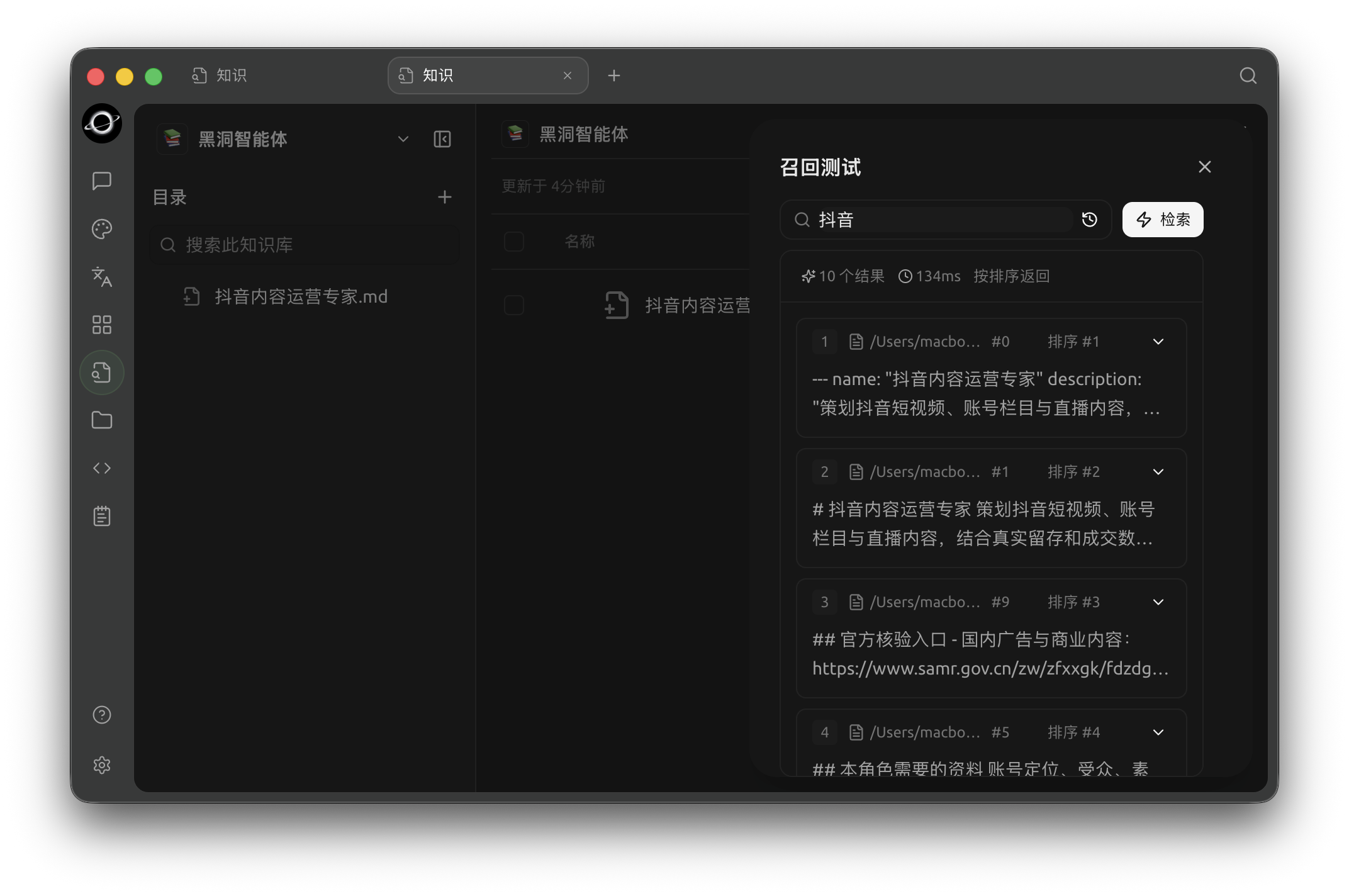
Recall Test: enter a real question and inspect matched chunks, sources and relevance (Chinese interface).
5. Check Conversation or Agent
If retrieval is correct but the response is wrong, ensure the knowledge base is selected or bound, instruct the model to answer only based on sources, and break the question into smaller factual items.
Where to Report Issues
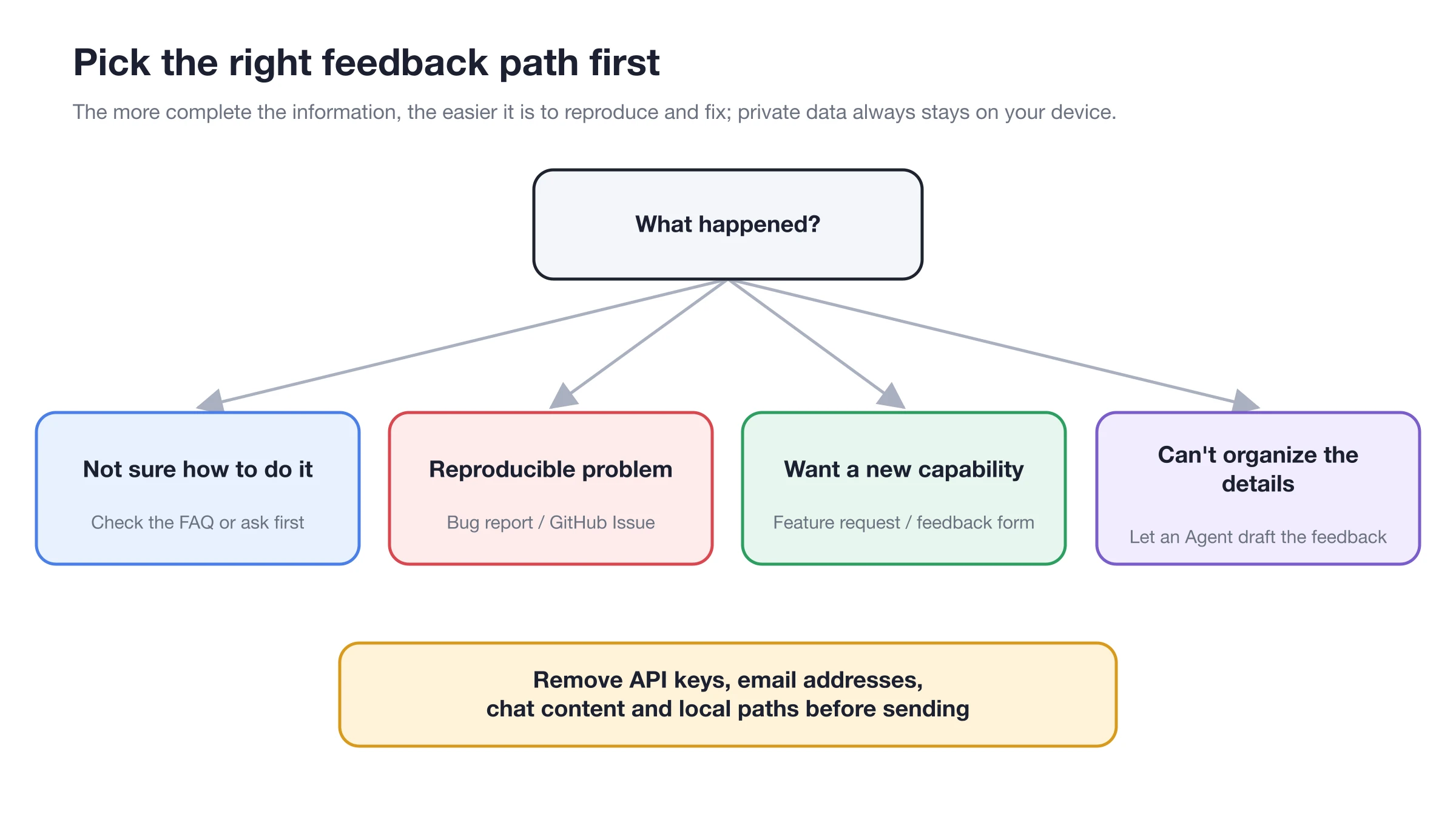
Complete minimal troubleshooting first; if the issue is reproducible, include sanitized steps, errors, and expected results.
Creation and Import
Can I create a knowledge base without an embedding model?
Yes. Selecting Do Not Use still enables BM25 keyword retrieval. Add an embedding model only if you need to match different phrasings.
What sources and file formats are supported?
Sources include files, BLACK HOLE notes, local directories, and web links. Supported file formats include PDF, DOCX, DOC, PPTX, XLSX, XLS, Markdown, TXT, CSV, HTML, and EPUB.
How many items can I add at once?
You can select up to 20 items in a single interactive selection. For more documents, add them in batches or use the directory entry.
For documents with the same name, should I choose Keep All or Replace?
Choose Replace when updating policies, manuals, or note snapshots. Choose Keep All only if you genuinely need coexisting versions, and include a date or version number in the name.
What if a document stays in processing indefinitely?
Check if the file opens correctly, if the processor and OCR are available, and if the model service is configured. Use the error message to determine if the failure occurs during reading, parsing, or embedding.
Parsing and Retrieval
Why is there no text in scanned PDFs?
Scanned documents require OCR. Go to Settings → Document Processing, select an available OCR engine, and re-index the document. For complex layouts, try a dedicated document processor.
Why didn't results change after modifying Chunk settings?
New settings do not automatically reprocess existing documents. Perform Re-index on relevant entries, then retest with the same question.
What if retrieval tests return no results?
Check document status, verify the text contains the answer, ensure original keywords can match, confirm embedding is complete, check if the reranking threshold is too high, and verify if Top K is too small.
What if the source is correct but the chunk is incomplete?
Review Chunks to see if conditions and conclusions are split. Increase Chunk size or overlap appropriately, or restructure messy source documents into clear notes before re-indexing.
What if correct results rank too low?
First remove duplicate and outdated documents, then consider the embedding model. If candidates are roughly correct but the order is unstable, add reranking and adjust the threshold.
What should Top K be set to?
Start with 6 and compare missed retrievals, noise, and latency using fixed questions. Top K can be adjusted between 1 and 50; do not treat increasing it as a universal fix.
Conversation and Agent
What if the knowledge base entry in the conversation is unavailable?
Select a model that supports tool calling and remove current message attachments. Also ensure at least one knowledge base contains ready documents.
What if the response does not show sources?
Confirm the knowledge base is selected in the input area, then run the same question in a retrieval test. If retrieval lacks correct chunks, fix the knowledge base first.
What if retrieval is correct but the response is still inaccurate?
Instruct the model to answer only based on citations, break the task into smaller factual items, and manually verify important conclusions. The issue is usually in the prompt, model, or context organization.
Why can't the Agent see the knowledge base?
Open Edit Agent → Knowledge, link the target library to the current Agent, and make sure Knowledge Search is on in Built-in tools.
Does knowledge base management modify documents?
Yes. Manage Knowledge supports adding, deleting, or refreshing documents. Do not enable it for read-only tasks; check the target, impact, and rollback method before write operations.
Models, Data, and Backup
Why does changing the embedding model require rebuilding?
Vectors generated by different embedding models cannot be mixed directly. Confirm the new model is available and keep a full backup before rebuilding existing vector indexes.
What is the relationship between reranking and similarity thresholds?
Reranking rescores candidate chunks, and the threshold filters low-scoring results after reranking. If reranking is not configured, the similarity threshold will not appear in knowledge base settings.
Is the process fully offline after downloading a local embedding model?
Not necessarily. Parsing, OCR, reranking, and chat must all use local capabilities for a fully offline workflow.
Will modifying original files or web pages update automatically?
No. Files, notes, and web pages are indexed based on their content at import time. Re-add documents with the same name, select Replace, and complete a retrieval test.
Does a minimal backup include knowledge base files?
It does not include complete knowledge base data files. Use a full backup before migrating or deleting, and verify documents and retrieval after restoration.
Configuration Notes: Diagnostic Baseline
| Item | Recommended Start | When to Adjust |
|---|---|---|
| Top K | 6 | Correct chunks are cut off or noise is excessive |
| Similarity Threshold | Start from 0.0 after configuring reranking | Low-score noise is obvious, and correct chunks still have margin |
| Chunk | Keep default smart segmentation | Conditions and conclusions are split, or chunks are too long |
| Embedding Model | Add only if BM25 is insufficient | Colloquial questions or synonymous expressions fail to match stably |
| Reranking Model | Add if candidates are correct but order is unstable | Not used to fix parsing errors or missing text |
User Case
Xiao Lin found that "accommodation fee standards" were answered incorrectly in chat. He first ran a retrieval test with the same question and noticed the correct source did not appear at all; opening the text revealed the two-column PDF was out of order. After switching processors and re-indexing, retrieval became correct, and chat responses returned to normal.
This process changed only one variable—the parser—allowing confirmation of the root cause rather than relying on luck by simultaneously increasing Top K, Chunk size, and thresholds.