
Effective Questioning Methods
A question that's easy to answer doesn't have to be long, but it should let others know what you're trying to do, what actually happened, and how to see the same problem themselves.
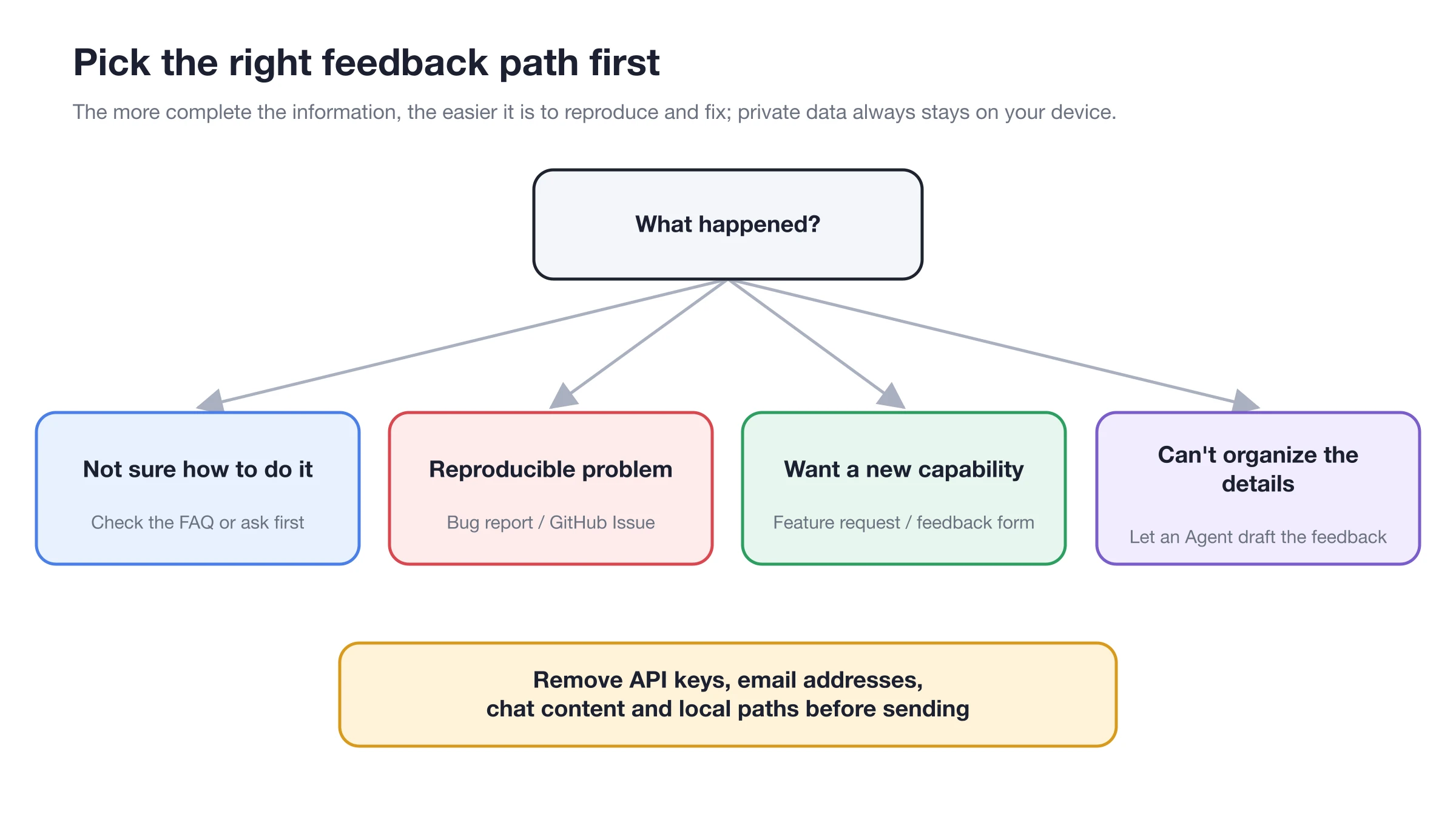
First decide whether it's a usage question, a reproducible problem or a feature suggestion, then prepare the matching material.
Choose the Right Place First
| Your situation | Where to go |
|---|---|
| Not sure whether it's a configuration or a product problem | Sidebar Help → Feedback → Ask the Feedback Assistant |
| Confirmed, reproducible bug | GitHub Bug Report |
| You want a new capability | GitHub Feature Request |
| Discussing usage or approaches | GitHub Discussions / Questions |
| You only need the steps for something | These docs and BLACK HOLE Assistant |
BLACK HOLE Assistant can read information about your installed version and, with your consent, collect the diagnostics it needs. It shows you a redacted preview before submitting feedback or generating a diagnostic package — you don't need to learn how to read logs first.
What Your Question Should Include
1. State your goal in one sentence
For example: "I want an Agent to post the daily report to a Slack channel every weekday morning."
2. Describe the actual and expected results
Actual result: "The task ran successfully, but nothing arrived in Slack." Expected result: "When the run finishes, the specified channel receives the daily report."
3. Give the shortest steps to reproduce
Start from the entry point where the problem reliably occurs, and describe in 3–6 steps what you click, what you select and where the error appears.
4. Add your environment
Include your operating system, the version shown in Settings → About & Feedback, and the relevant provider or channel type. Never make API keys or account credentials public.
5. Attach screenshots, recordings or logs
Screenshots should show both the error and the page it's on; for logs, include only the relevant time window and redact them first. For problems with model output, include the input, the model and the expected format.
A Ready-to-Use Template
Title: Agent scheduled task runs successfully, but the Slack channel receives no result

Goal: Send the operations daily report to a specific Slack channel at 09:00 on weekdays.
Actual result: Run history shows success; no message in Slack.
Expected result: The Slack channel receives one daily report message.

Steps to reproduce:
1. Open Settings → Scheduled Tasks.
2. Select the daily report task and click Run.
3. Wait for the task to finish.
4. Check the Slack channel: no new message.

Environment: macOS / version shown in Cherry Studio's About & Feedback / Slack channel.
Already tried: Re-enabled the channel; sent the bot a test message in Slack.
Attachments: Channel status screenshot with credentials masked; the matching run record.
What to Remove From Screenshots and Logs
Small Habits That Speed Up Troubleshooting
- Reproduce only one problem at a time;
- Use the smallest configuration that still shows the problem;
- Say whether the problem happens every time;
- Don't just write "it doesn't work" — include the exact error text;
- Don't upload entire logs unrelated to the problem;
- If you find an identical issue, add your environment and new clues to it instead of opening a duplicate.
Can I just have BLACK HOLE Assistant submit it for me?
Yes. Open BLACK HOLE Assistant through Feedback, describe the problem, and explicitly ask it to submit. It will ask for permission to collect diagnostic data, show you a redacted preview, and then handle it the way you choose. It only files a GitHub Issue if you explicitly ask for GitHub.