
Contributing Code
A code contribution starts with a clearly defined problem. Before fixing a bug, confirm you can reproduce it; before adding a feature, describe the user scenario and expected behavior. For larger changes, we recommend agreeing on the direction in a GitHub Issue or Discussion first.
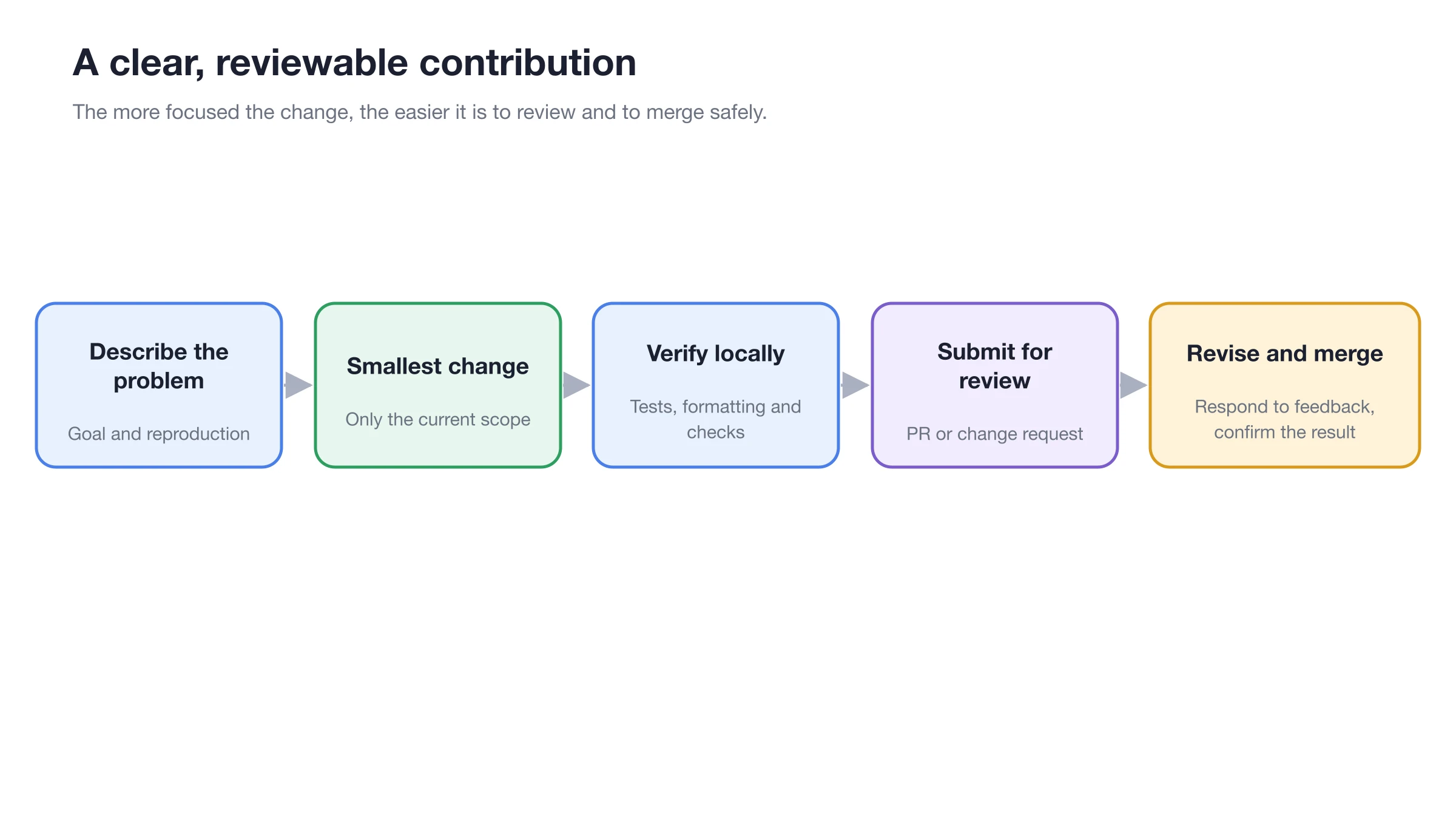
Each contribution should solve one clear problem; verify locally first, then submit for review.
Before You Start
Before starting, contact technical support with your proposed contribution to confirm the current source location, collaboration process, and contribution guidelines.
Good starter tasks can be found under the good first issue, help wanted and kind/bug labels. Before you begin, say in the Issue that you plan to work on it, so several people don't duplicate the effort.
Choosing a Branch
Most current features, fixes, refactors and optimizations go to main. If the Issue, a maintainer or the contributing guide specifies a different target branch, follow the project's instructions at that time — don't decide based on old tutorials alone.
When Contributing Code Makes Sense
| Situation | Recommended approach |
|---|---|
| A problem you can reproduce reliably | Submit a minimal fix with a matching check first |
| A small feature with clear boundaries | Confirm the requirement and target branch before implementing |
| Involves data migration, permissions or architecture | Agree on the approach in an Issue or Discussion first |
| Only the wording or screenshots need to change | Go through Contributing Docs — don't mix it into a code PR |
Submission Process
1. Fork and create a branch
Create a clearly scoped working branch from the correct target branch. One PR covers one topic — don't mix in opportunistic refactors or formatting changes.
2. Set up the development environment
Follow the repository's Developer Guide to install the specified Node.js and pnpm versions, then run pnpm install. Before changing anything, run the existing checks for the module you're working on to confirm the baseline passes.
3. Make and verify your changes
Bug fixes should add a test that reproduces the problem; new features should cover the key paths and failure cases. Before committing, run the formatting, static analysis, test and build checks the repository requires.
4. Commit and sign off
Write commit messages that state the type of change and the module, and add a DCO sign-off with git commit --signoff. Signing off means you have the right to submit this content under the project's license.
5. Open a PR
Fill in the template: before and after, why you chose this approach, trade-offs and alternatives, breaking changes, how you verified it, and the Release Note. Changes that still need discussion can start as a Draft PR.
After Submitting a PR
PRs from new contributors start with the needs-ok-to-test label, and automated tests don't start right away. Once a repository member confirms, they use /ok-to-test to start the pipeline. Draft PRs aren't assigned regular reviewers and skip automated tests; mark them Ready for review when they're ready.
Address review comments with new commits to keep the discussion context. When there's a design disagreement, go back to the user problem and verifiable behavior rather than sidestepping a local issue with a large rewrite.
Pre-Submission Checklist
- The target branch is correct;
- The scope of the change matches the Issue / PR description;
- New behavior has tests or repeatable manual verification steps;
- User-visible changes are reflected in the documentation;
- Data migration, upgrades and compatibility have been considered;
- No API keys, real user data or debug files are committed;
- Commits are signed off and the Release Note follows the template.
Do small changes need an Issue too?
Typos and obvious small fixes can be submitted directly; for anything touching product behavior, architecture or a larger amount of work, opening an Issue first makes it easier to confirm the direction. Whether an Issue is required follows the repository's current maintenance rules.
Why didn't CI run automatically?
First make sure the PR isn't a Draft. PRs from new contributors need a repository member to comment /ok-to-test; if you see needs-ok-to-test, just wait for confirmation on the PR.