
Advanced Capability Map
Advanced tutorials do not list settings menu items one by one; instead, they start from "what work you want to accomplish." First, select the goal closest to your needs, then proceed to the corresponding tutorial.
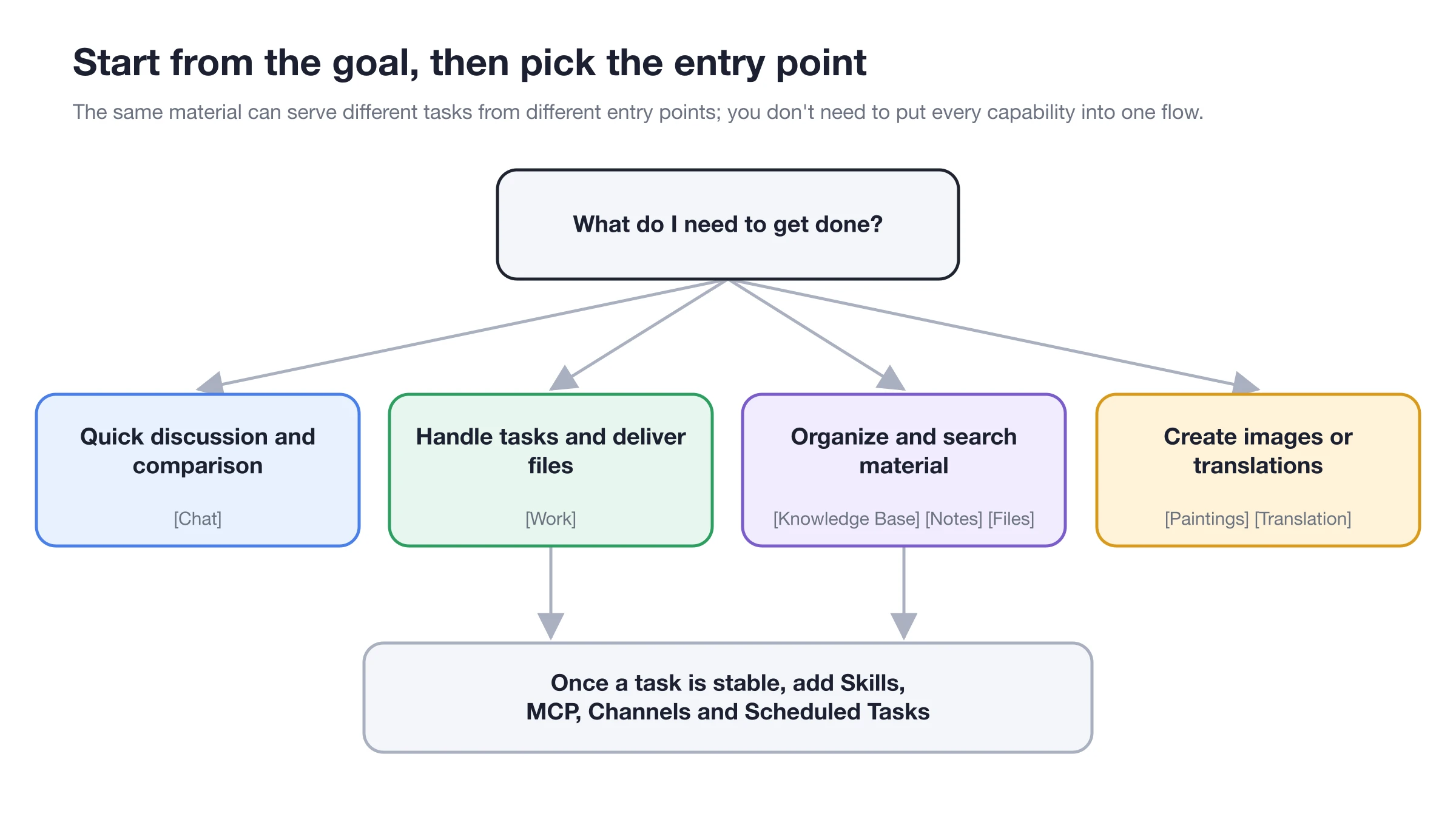
Start with the main entry point to complete the minimal task; once results are stable, add knowledge bases, skills, MCP, channels, or scheduled tasks.
First select the main entry point based on your goal, then add skills, MCP, channels, or scheduled tasks once the workflow is stable.
Select Entry Point by Goal
| What you want to accomplish | Recommended entry point | Capabilities involved |
|---|---|---|
| Compare multiple answers, organize long discussions | [Chat] | Multi-model, context, citations, and artifacts |
| Process files or complete multi-step tasks | [Work] | Agent, working directory, tools, permissions, and status panel |
| Stable Q&A using your own materials | [Knowledge Base] → Recall test, then bind to Agent | Files/Web pages/Notes, RAG, retrieval scope |
| Generate images from articles or edit images | [Drawing], or enable [Generate Image] in Agent | Templates, reference images, local editing, enhancement |
| Translate text, screenshots, or long documents | [Translation] | OCR, document processing, history, and favorites |
| Draft and continue processing content | [Notes] | Markdown, search, export, add to knowledge base |
| Capture interface, annotate, and copy text | [Settings] → [Screenshot] enable and use global shortcut | Region screenshot, annotation, mosaic, OCR |
| Open common web apps | [Mini Programs] | Built-in web tools and added sites |
| Browse, preview, and organize local files | [Files] | File list, preview, and subsequent processing |
| Connect external tools or fixed work methods | Let Agent judge first, then verify in [Settings] | Skills, MCP, built-in tools |
| Use Agent from external platforms | Let Agent guide configuration in [Work] first | Channels, allowed scope, permission mode |
| Generate daily reports or reminders on schedule | Run Agent first, then create [Scheduled Task] | Agent, working directory, channels, run logs |
| View materials and tasks simultaneously | Right-click tab → [Open in New Window] | Multi-window, pinned tabs, global search |
| Manage coding command line | Launcher [Code Mate] | Code CLI, model connection, directory, and terminal |
| Let local programs call models or troubleshoot | [Settings] → [API Gateway] / [General] | Compatible API, call chain, developer mode |
Recommended Learning Order
1. Master the Agent Workspace first
Learn to create Agents, select working directories, and understand model division of labor and permissions. Subsequent extensions, automation, and project cases are built on this foundation.
2. Then integrate materials and capabilities
Use knowledge bases for long-term materials, skills for repeated methods, and MCP for external systems. Add only one capability at a time and verify with small tasks.
3. Finally automate or connect externally
Configure channels, scheduled tasks, Code CLI, or external APIs only after manual results are stable. This makes it easier to identify which link is causing issues when problems arise.