
Using in Chat
After passing the recall test, you can select one or more knowledge bases in a standard chat. The model will answer based on the recalled snippets and display the sources.
Prerequisites
| Check Item | Required Status |
|---|---|
| Chat Model | Supports tool calling |
| Knowledge Base Data | At least one document is ready |
| Current Message | No attached files |
| Recall Quality | Key questions find the correct source and complete snippets |
Completing a Sourced Q&A
1. Select a Model Supporting Tool Calling
Create or open a standard chat. Confirm in the model selector that the current model supports tool calling. If the knowledge base entry indicates insufficient capabilities, switch to a different model first.
2. Open Knowledge Base Selection
Click the add button in the bottom-left corner of the input area, select [Knowledge Base], and then check one or more target bases.
3. Confirm Selection Status
The knowledge base name should appear in the input area. If the question involves only one topic, prioritize selecting only one base to reduce competition from irrelevant snippets.
4. Clearly Define Task, Scope, and Format
For example: Answer only based on the selected knowledge base regarding accommodation caps in first-tier cities in China; list by different job levels, with each item citing its source.
5. Verify Sources
Check the source name, snippet content, and applicable conditions. Content not specified in the documents should not be filled in as fact.
6. Return to Recall Test on Failure
Use the same question to check the snippets returned by the knowledge base. If recall is incorrect, fix the data, parsing, or retrieval first. If recall is correct, then adjust the prompt and chat model.
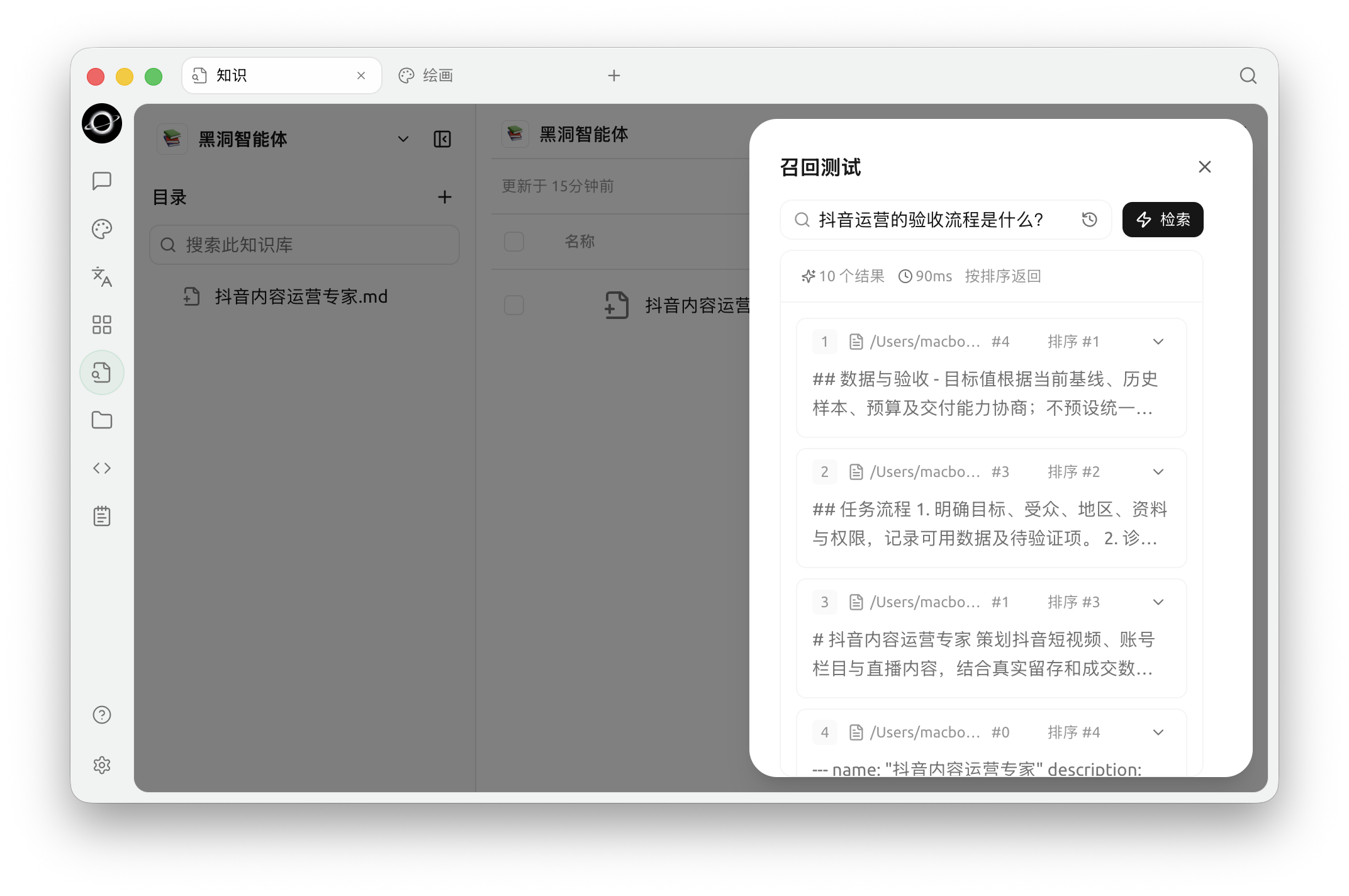
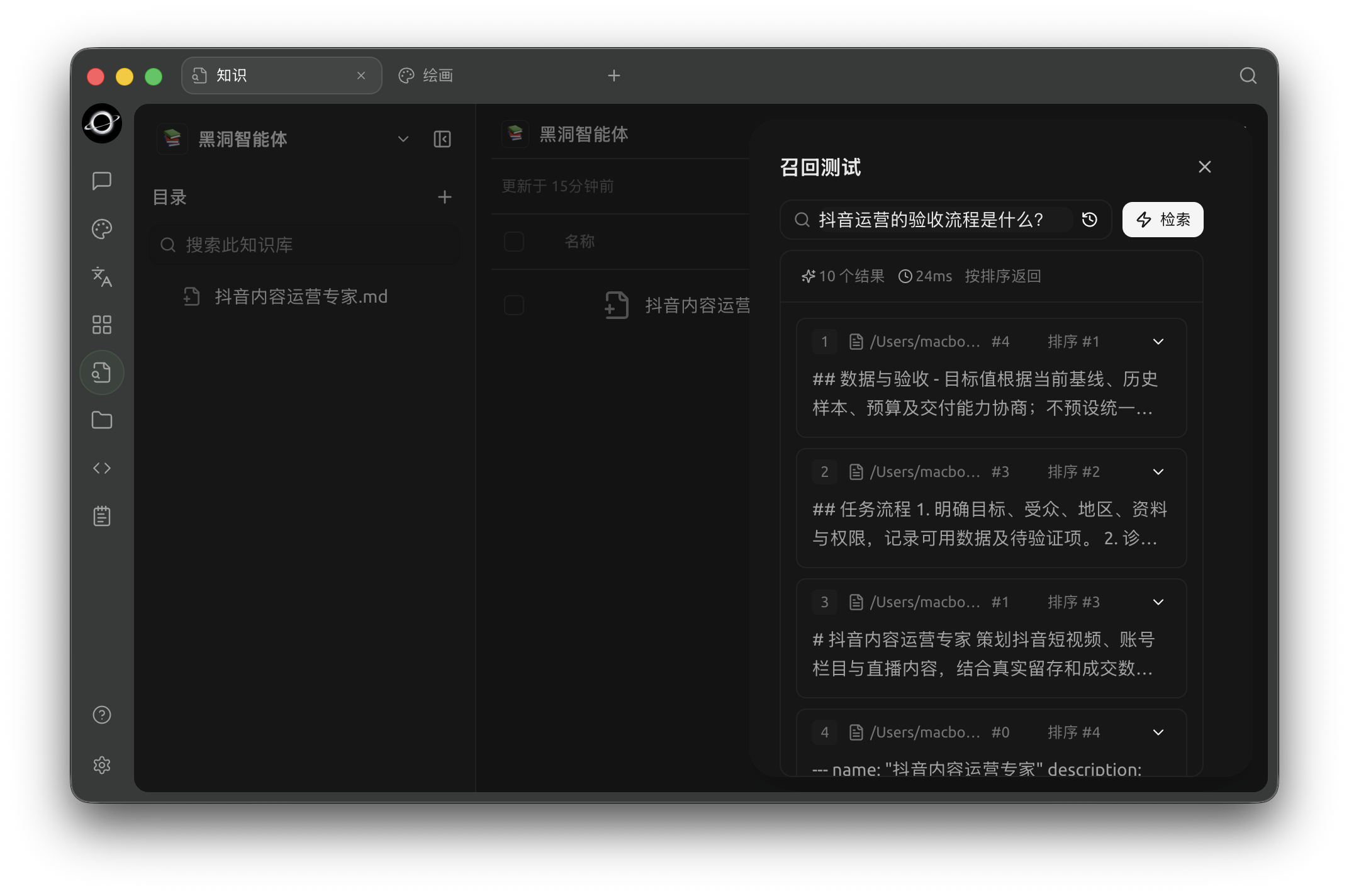
Recall Test: enter a real question and inspect matched chunks, sources and relevance (Chinese interface).
How Answers Are Formed
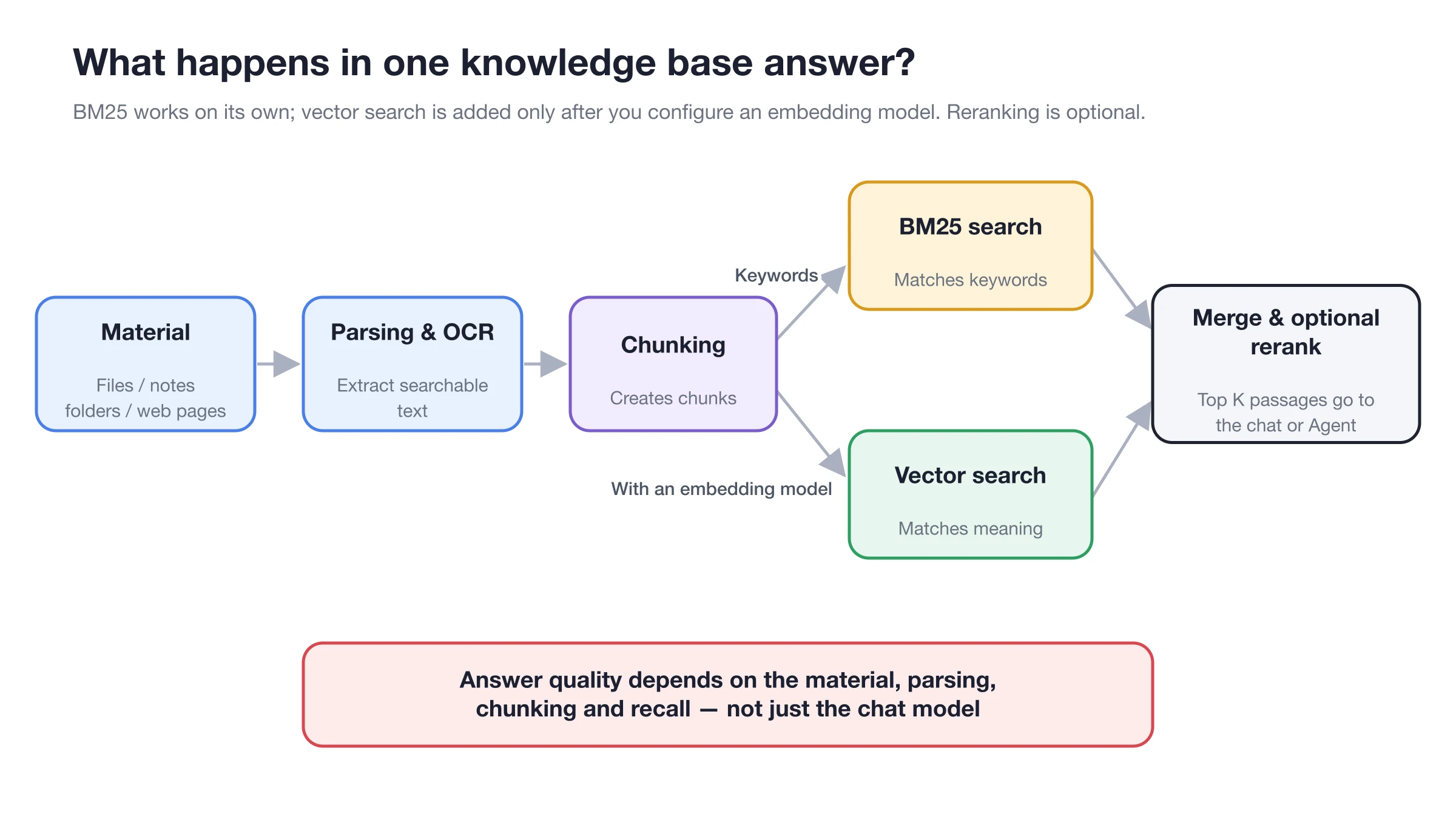
The chat model sees the final recalled snippets, not all documents in the knowledge base automatically.
Recommended Question Templates
Querying a Specific Rule
Answer only based on the selected knowledge base: What is the accommodation limit for first-tier cities in China? If standards differ by job level, list them separately and cite the source for each item.
Comparing Multiple Documents
Compare the approval differences between domestic and overseas business trips. List them in a table by "Trigger Conditions, Approvers, and Pre-departure Materials." Mark areas not specified in the documents as "Not Specified."
Distinguishing Facts from Suggestions
First, list the facts supported by the original policy text, then provide operational suggestions separately. Suggestions must not be written as policy requirements. Retain the source name for each fact.
Selecting One or Multiple Knowledge Bases
| Situation | Recommendation | Reason |
|---|---|---|
| Single policy or product question | Select only one base | Reduces competition from irrelevant snippets |
| Cross-department or cross-product comparison | Select multiple bases and specify their respective uses | Helps the model maintain source boundaries |
| Mixed results from multiple bases | Split into multiple questions and verify separately | First confirm that each base can recall independently |
| Long-term multi-step research | Use an Agent bound to the knowledge base | Better suited for continuous searching, organizing, and file delivery |
Configuration Notes
| Configuration Item | Recommended Starting Point | Function | Notes |
|---|---|---|---|
| Number of Knowledge Bases | 1 | Controls data scope | Increase only when cross-base needs are confirmed |
| Question Scope | Explicitly state "Only based on knowledge base" | Reduces common sense filling | Important conclusions still require source verification |
| Output Format | Table or itemized list | Facilitates item-by-item acceptance | Request "Not Specified" instead of guessing |
| Regression Questions | Use the same question as in the recall test | Distinguishes retrieval vs. answer issues | Change only one variable per round |
Saving Chat Content to Knowledge Base
BLACK HOLE can save messages, topics, or notes to the knowledge base. Before saving, remove model guesses, duplicate content, and temporary discussions, and use titles that clearly indicate the topic and version.
After saving, a new data snapshot is formed. It does not sync in real-time with the original chat or notes. Content updates require re-saving or replacement.
User Case
Xiao Lin asked about accommodation limits in the [Employee Travel Policy]. The first answer included model common sense. He changed the prompt to "Write 'Not Specified' when not stated in the documents" and required each item to retain its source. He then opened each citation to verify city level, job level, and amount.
The completion standard is: every amount is directly supported by the cited snippet, and exceptions not written in the policy are not filled in by the model.
Frequently Asked Questions
Why is the knowledge base entry grayed out?
First, select a model that supports tool calling and remove attachments from the current message. Then, confirm that at least one knowledge base with ready data exists.
Why does the answer have no sources?
Confirm that the selected knowledge base is still displayed in the input area, then put the same question into the recall test. If there is no correct recall, fix the knowledge base first.
What if the sources are correct but the conclusion is inaccurate?
Require the model to answer only based on citations, break the task into smaller factual items, and manually verify important conclusions. This is usually a prompt, model capability, or context organization issue.