
Using with Agent
Once a knowledge base is bound to an Agent, the Agent can search and read authorized materials during multi-step tasks. If updating materials is explicitly required, you can also enable knowledge base management.
Differences Between Standard Chat and Agent
| Standard Chat | Agent |
|---|---|
| Temporarily select knowledge base before each message | Long-term binding in Agent configuration |
| Suitable for instant Q&A and short comparisons | Suitable for multi-step research and file delivery |
| Primarily answers using recalled snippets | Can search materials and manage knowledge bases based on permissions |
| Current conversation determines material scope | Agent configuration determines accessible scope |
Configuring a Read-Only Knowledge Base Agent
1. First, Validate the Knowledge Base
Ensure target materials are ready and complete recall testing with real questions. Agents cannot fix missing content or incorrect chunking.
2. Open the Agent Edit Window
Go to Work, select the target Agent, and open Edit Agent from the menu.
3. Bind the Minimum Necessary Knowledge Bases
Open the Knowledge tab and click Add knowledge base next to Linked knowledge bases. Only bind the libraries required for this task to avoid interference from cross-department or cross-version materials.
4. Check the Knowledge Tools
After a knowledge base is linked, Knowledge Search and Manage Knowledge appear under Built-in tools (in the Context group). Keep Knowledge Search on. For read-only research, Q&A, summarization, and comparison, turn Manage Knowledge off.
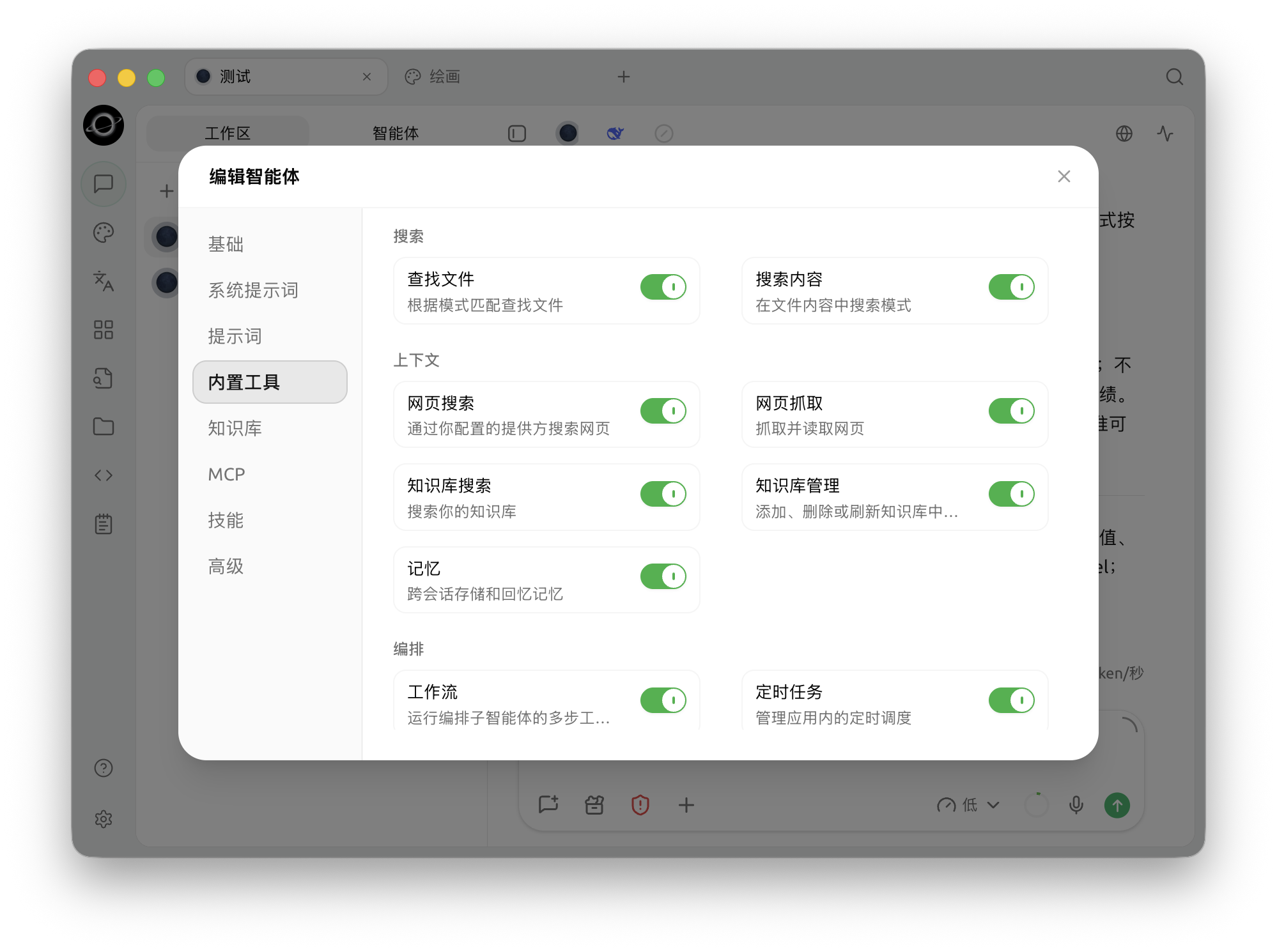
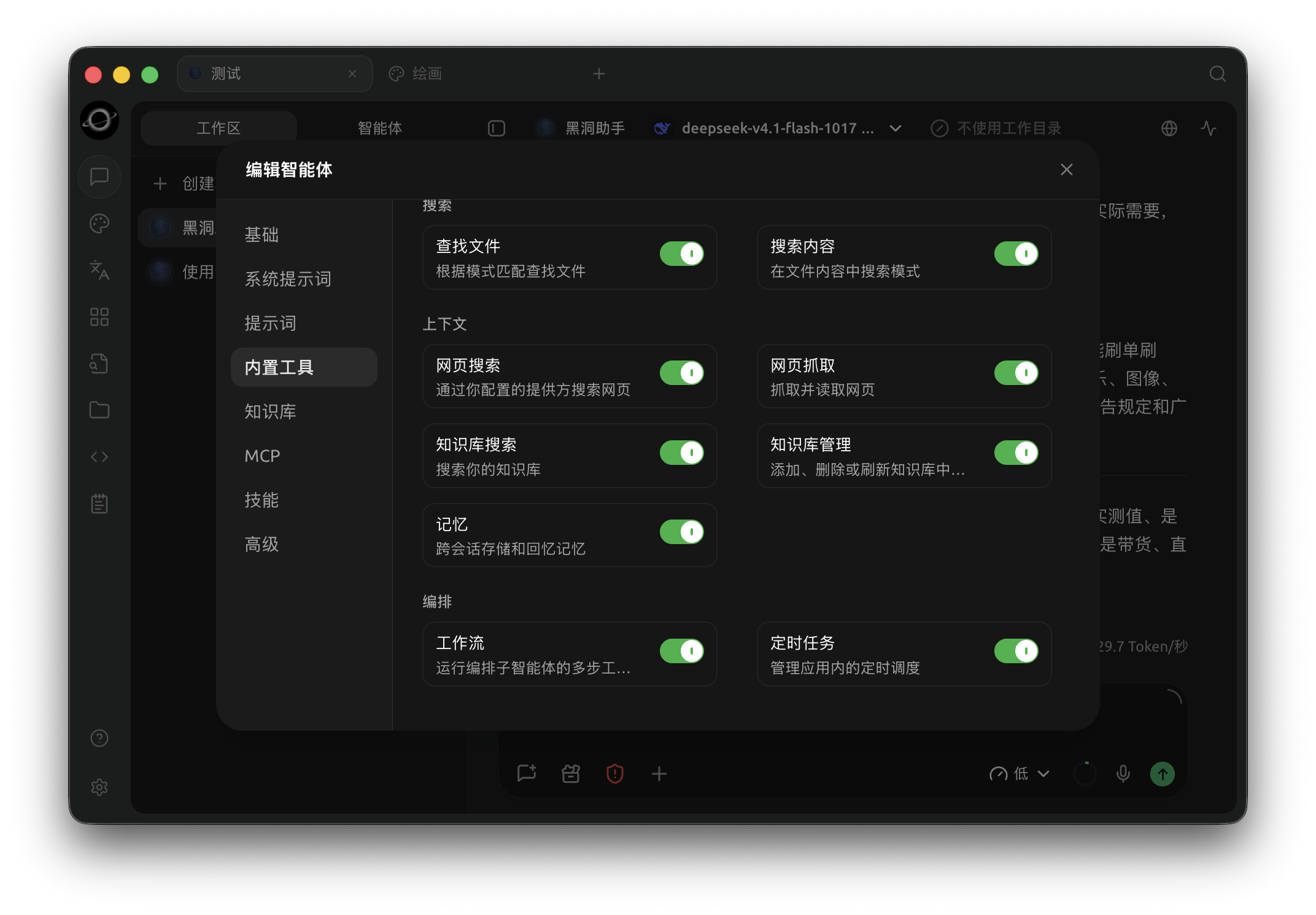
Agent built-in tools: enable Knowledge Search or Knowledge Management as required by the task (Chinese interface).
5. Test with Clearly Bounded Tasks
Require the Agent to list sources before providing conclusions. If materials do not support a claim, state this explicitly; do not allow filling gaps with common sense.
6. Accept Sources and Deliverables
Verify which knowledge base each conclusion comes from, ensure facts and recommendations in files are separated, and confirm that parts lacking evidence are marked.
How to Choose Between Built-in Tools, Knowledge Bases, Skills, and MCP
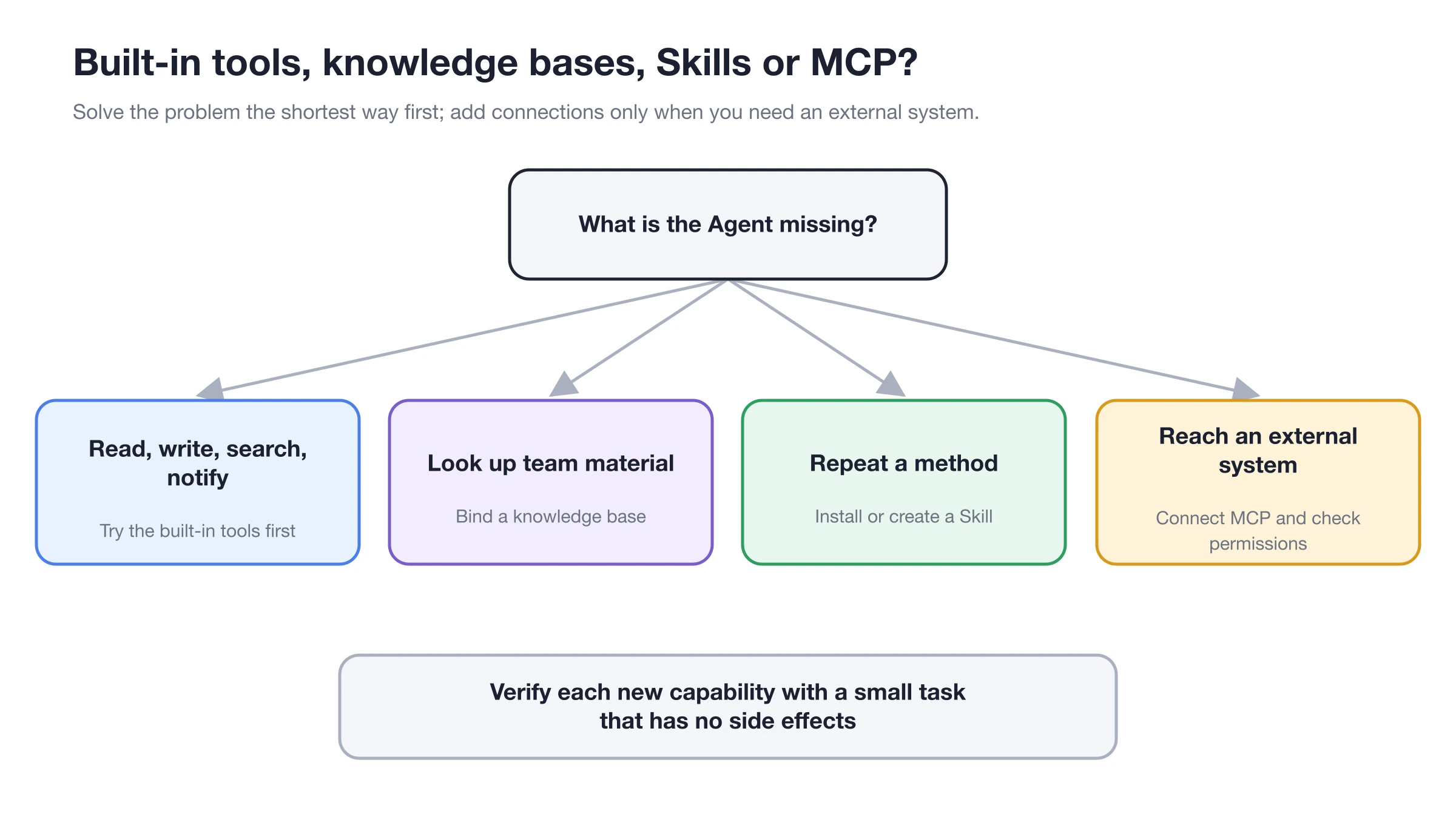
Use knowledge bases for looking up materials, skills for repetitive methods, and MCP for accessing external systems. Do not use expanded permissions as a substitute for clear tasks.
Knowledge Search and Manage Knowledge
| Capability | What It Can Do | Suitable Tasks | Default Recommendation |
|---|---|---|---|
| Knowledge Search | Search, list, and read bound knowledge bases | Q&A, research, summarization, comparison | Keep enabled |
| Manage Knowledge | Add, delete, or refresh knowledge base documents | Approved material maintenance | Turn off for read-only tasks; turn on only when needed |
How Agent Configuration Works Together
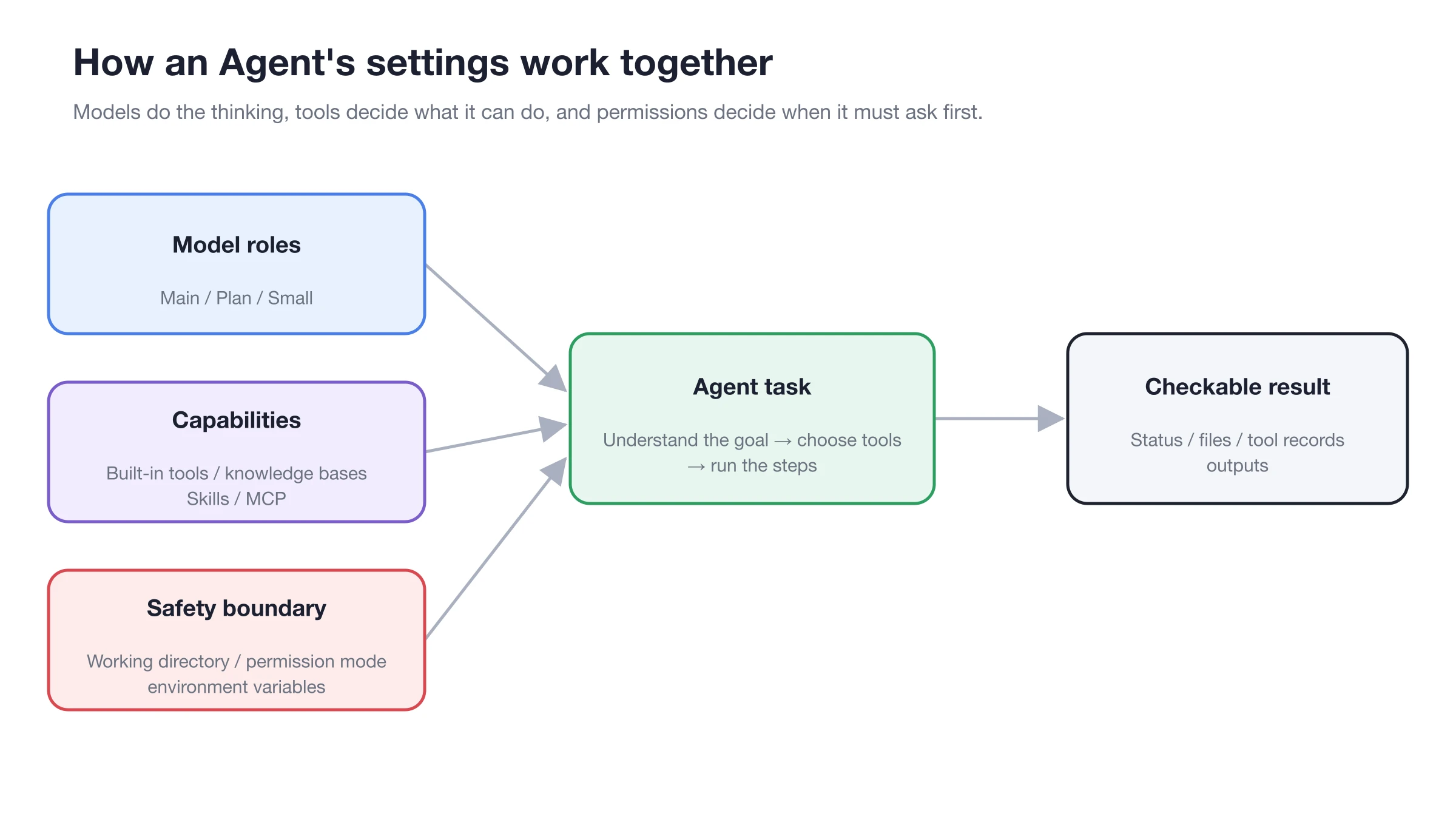
The model determines understanding and generation, the knowledge base provides evidence, and permissions determine how far the Agent can execute.
Recommended Task Templates
Research and Generate Report
Find all regulations regarding overseas business trip approvals and insurance in the bound knowledge bases. First list sources and conflicts, then generate a Markdown checklist. Do not fill in content not supported by materials.
Update FAQ
Search existing entries for accommodation reimbursement and compare the latest policy with the old FAQ. First provide a list of proposed changes; refresh relevant documents only after approval.
Multi-Knowledge Base Comparison
Find evidence from the "Product Manual" and "After-Sales Cases" knowledge bases respectively. Organize into three columns: "Official Rules / Real Cases / Recommended Scripts". Keep the source name for each conclusion.
Configuration Notes
| Configuration Item | Recommended Starting Point | When to Increase | Risk Control |
|---|---|---|---|
| Bound Knowledge Bases | 1 task-related library | Only if cross-library comparison is needed | Clearly state the purpose of each library in the prompt |
| Knowledge Search | Enabled | Only if the task requires looking up materials | Verify sources are within the bound scope |
| Manage Knowledge | Disabled | Only if adding, deleting, or refreshing is explicitly needed | Approve item by item and back up important materials first |
| Output Requirements | Separate facts, inferences, and recommendations | When generating reports or files | Keep the source name for each fact |
User Case
Xiao Lin bound Official Manual and Review Cases to the after-sales Agent, enabling only Knowledge Search. He required the Agent to list safety warnings, official steps, and case recommendations by device model, keeping the three separate. When old cases needed updating, he temporarily enabled the management tool, reviewed the proposed changes list, and then approved.
The acceptance criteria are: The Agent does not access unbound materials, does not present case recommendations as official rules, and all write operations have clear targets and acceptance results.
Result Acceptance
- Sources only come from the knowledge bases bound to the current Agent.
- Search results cover every condition in the task.
- Deliverables separate material facts, Agent inferences, and recommendations.
- Management operations explain the target, impact, and result.
- Re-run fixed recall questions after updating materials.
FAQ
Standard chat can find it, why can't the Agent?
Check if the target knowledge base is bound to the current Agent and if Knowledge Search is enabled. Binding scopes for different Agents do not inherit from each other.
When should Manage Knowledge be turned off?
For read-only research, team-shared policy libraries, and material libraries retaining historical versions, enable only Search by default. Enable Management temporarily and approve item by item when updates are needed.
What if the Agent wants to operate on an unbound knowledge base?
Do not expand access to all knowledge bases. Confirm the task truly requires it, then add the target library to the current Agent or switch to an Agent that already has that library bound.