
OpenAI
Obtain API Key
- On the official API Key page, click
+ Create new secret key
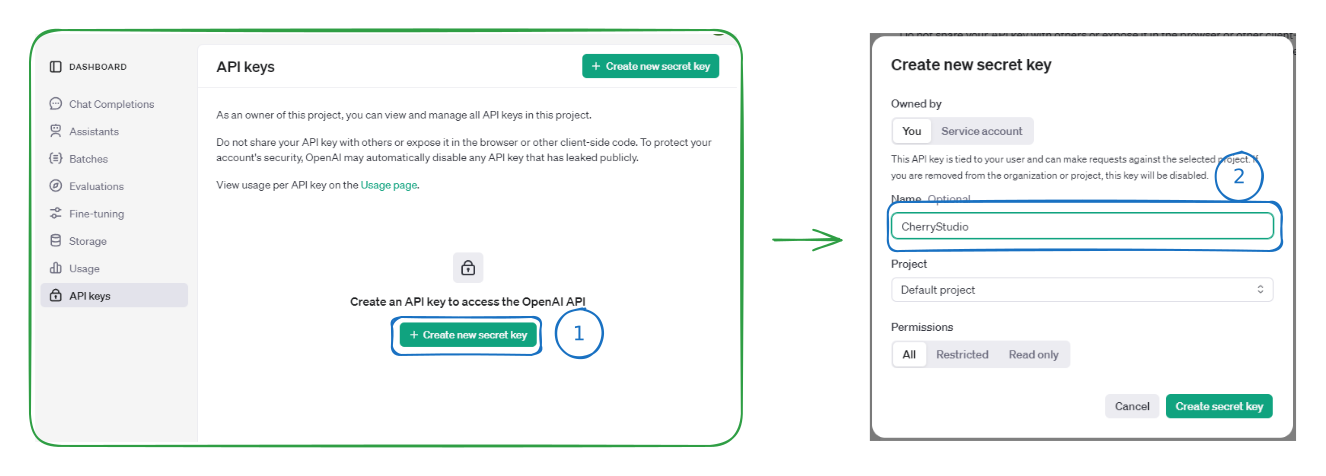
- Copy the generated key and open BLACK HOLE's Provider Settings
- Find the provider OpenAI, click Add API key, paste the key you just obtained, then click Save and close.
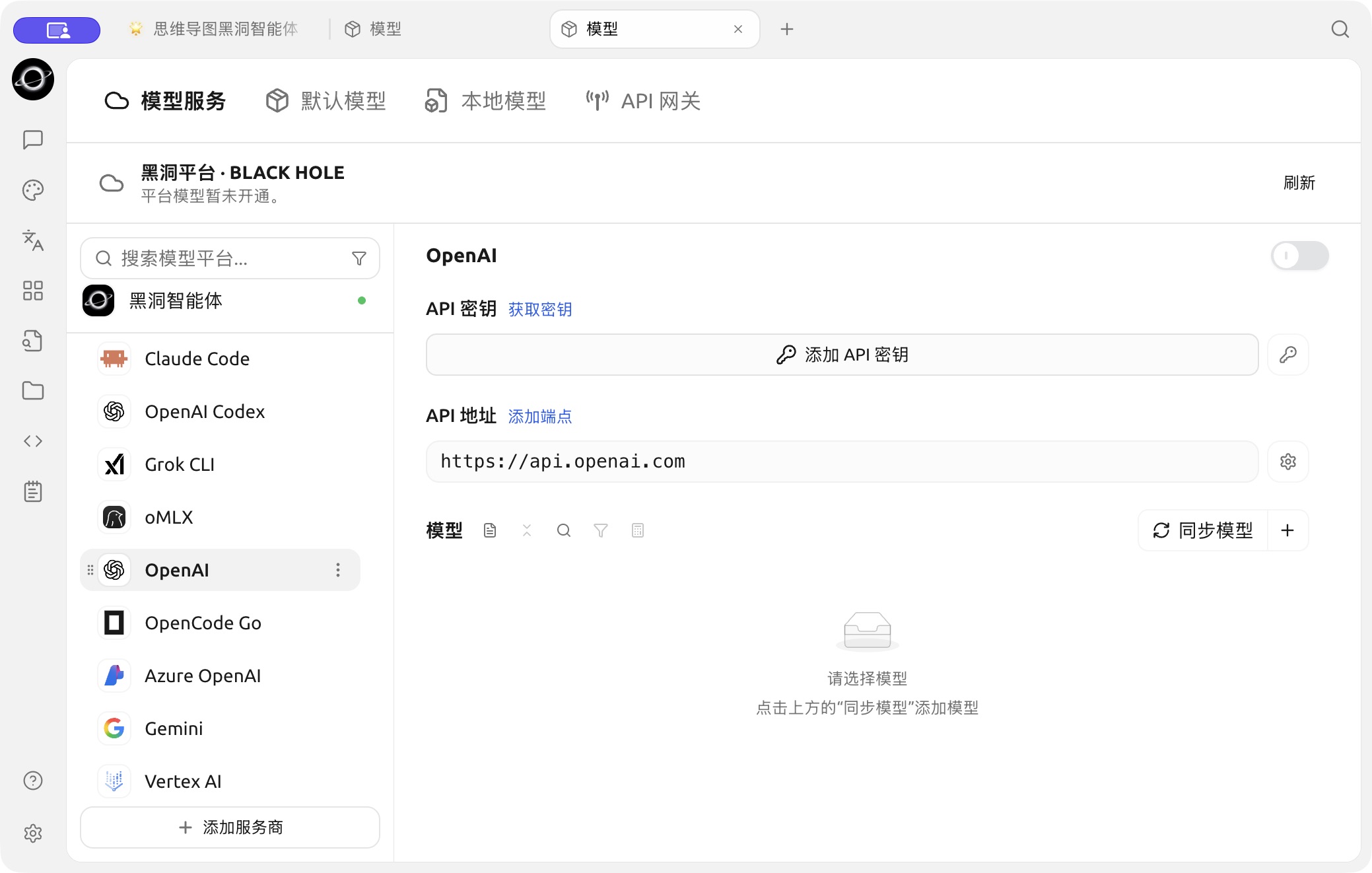
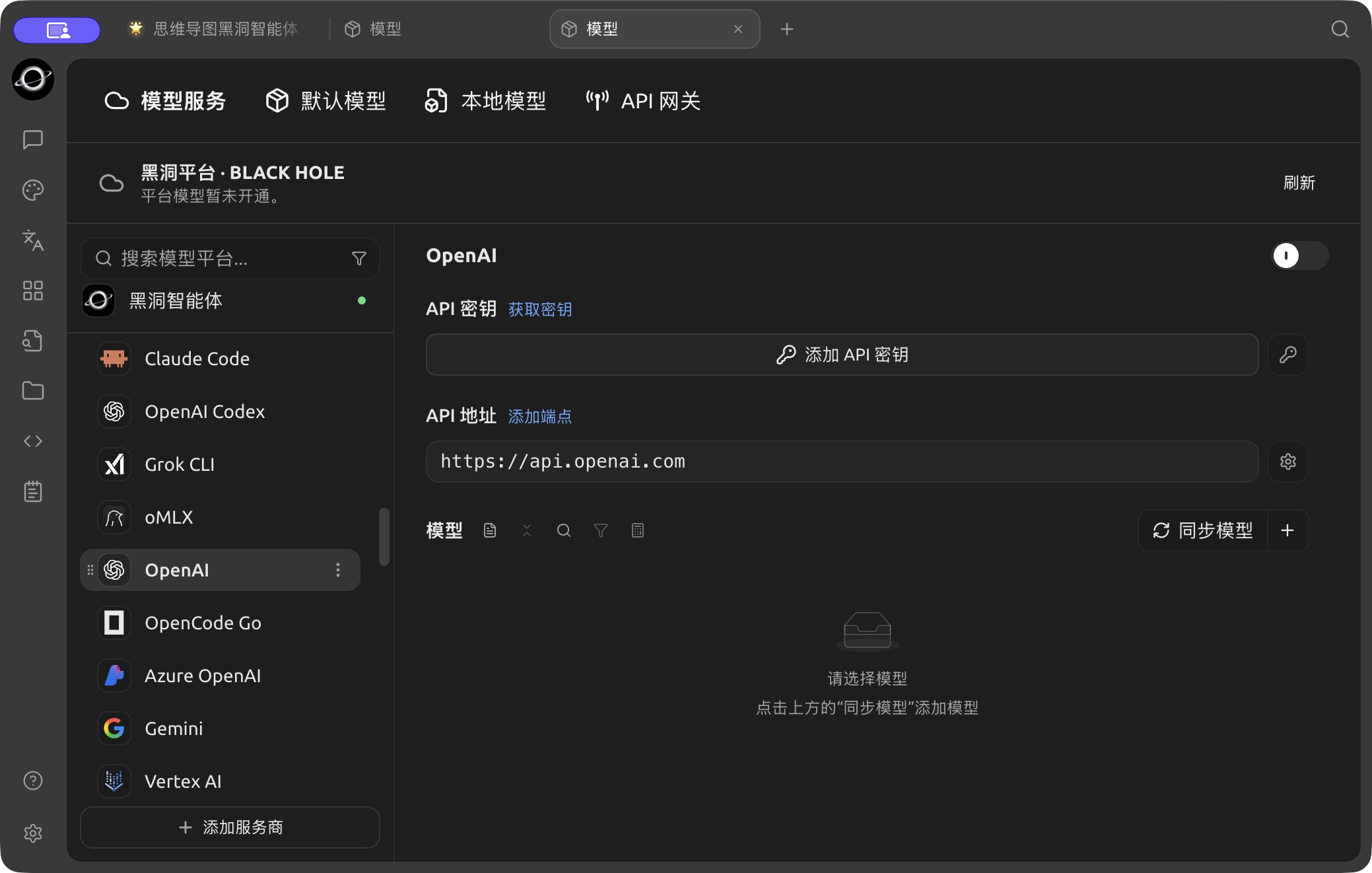
The OpenAI configuration page in Model Services. (Chinese interface.)
- Click "Sync models" (or "+" to add one manually) next to the Models heading to add supported models and enable the provider switch in the top right corner to start using it.