- Open the console, click the BLACK HOLE window, and press the shortcut key Ctrl+Shift+I (MacOS: command+option+I).
- In the pop-up console window, click
Console
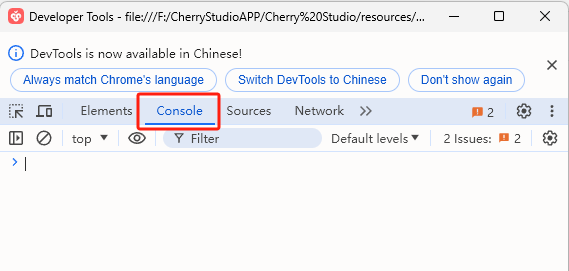
- Then manually type
document.getElementById('user-defined-custom-css').remove(). Copying and pasting is unlikely to execute.
- After typing, press Enter to confirm and clear the CSS settings. Then, re-enter BLACK HOLE's display settings and delete the problematic CSS code.
