
Artifacts, Citations, and Export
A single reply may contain body text, code, files, images, citations, and editable content. Inspect the artifacts first, then decide whether to copy, download, export, or hand them to an Agent for further processing.
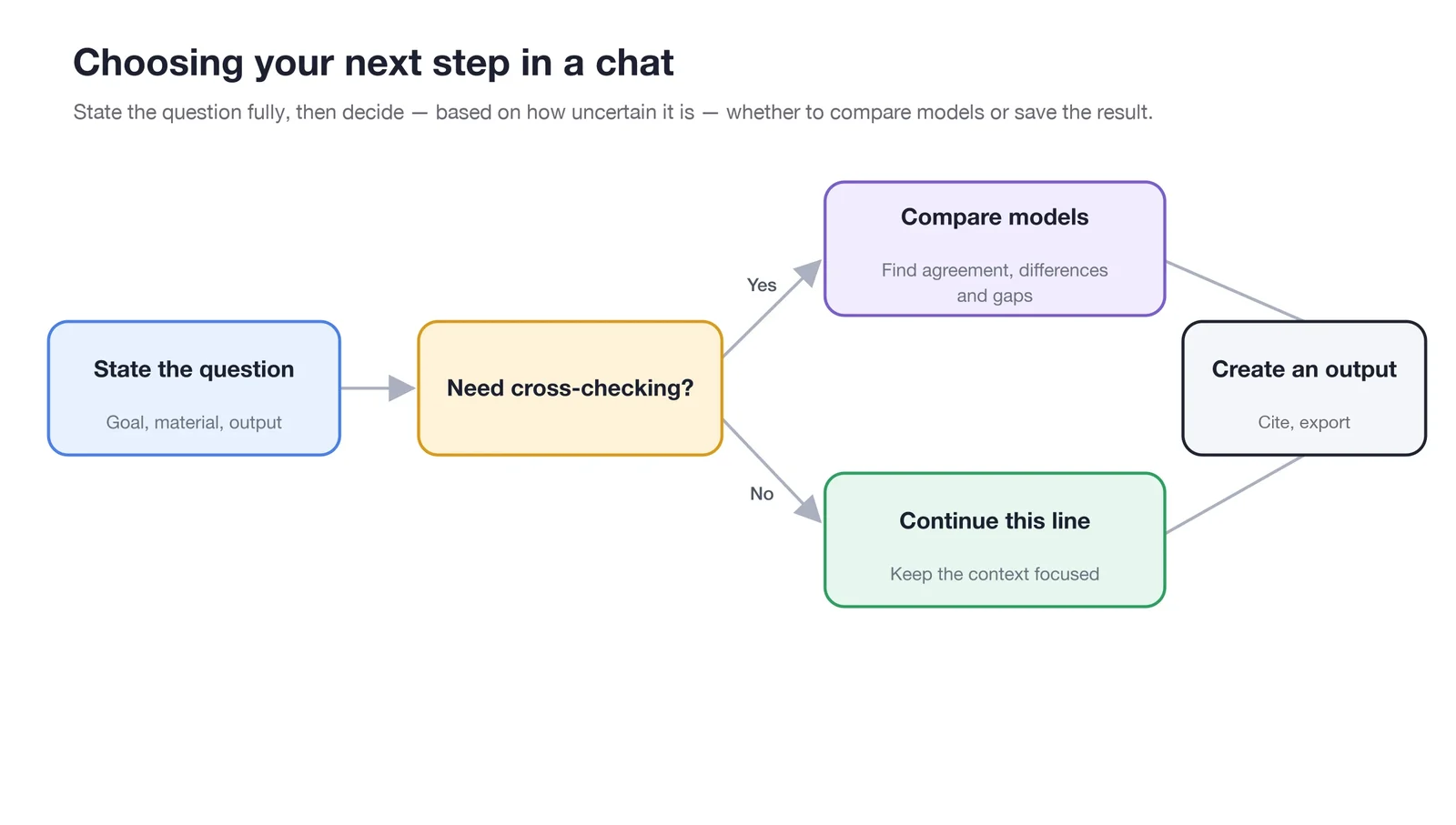
Upon reaching the final artifact, verify the content, source, and file before deciding to copy, export, or pass it to an Agent for refinement.
Preview First, Then Deliver
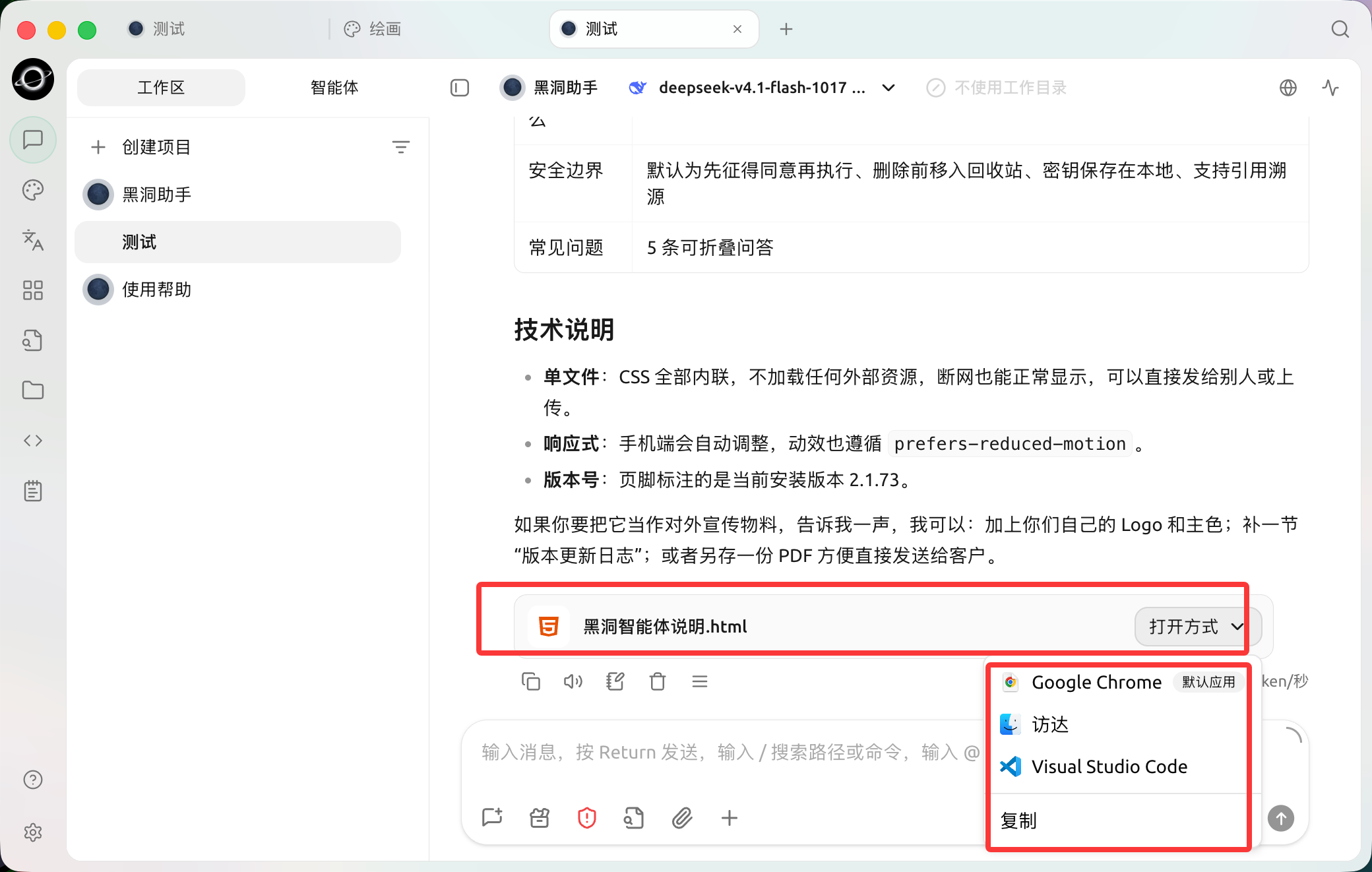
The generated HTML file appears in the reply. Use Open with to inspect it in a browser or editor. (Chinese interface.)
Click an artifact in the message or the Agent file panel to open the corresponding preview on the right. For HTML, you can check page layout and interactions; PDF, Word, PowerPoint, images, and text are displayed according to their formats; .xlsx spreadsheets allow you to view worksheets, cell styles, merged cells, formula results, images, and charts directly.
- Specify the artifact format in the conversation, then open the file or its preview. If an Open with menu is shown, select the browser or editor appropriate for that format.
- Check if the content and layout are complete.
- If items are missing, return to the conversation to add modification requirements, then open the preview to check again.
- Once confirmed complete, download, copy, or hand it to the Agent to save.
The purpose of previewing is to identify missing items early, not just to confirm that "it has been generated." If the page is intended for colleagues, check links, buttons, and downloaded files at least once each.
Use Case: Pre-Release Check Page
Input: "Create a pre-release checklist as a complete, directly previewable HTML artifact, including three sections: launch preparation, monitoring and acceptance, and rollback conditions." After opening the preview, first check if the three sections are complete, then download it or hand it to the Agent to save in the project directory.
Use Case: Checking Data Tables
Open the .xlsx budget sheet generated by the Agent. First switch through each worksheet, then check merged titles, amount formats, formula results, and charts. Click to expand if cell content is long; use zoom to see images or charts clearly. Previewing is for acceptance and does not replace full editing and recalculation capabilities in Excel.
Perform Three Checks First
- Content: Are numbers, dates, proper nouns, and conclusions consistent with the original materials?
- Source: Do web results retain openable links? Do citations actually support the corresponding claims?
- File: Can the filename, format, and content be opened normally? Does it contain information that should not be shared?
Common Destinations
| Result | Recommended Action |
|---|---|
| Finalized text | Copy to the target application or save as a note |
| Markdown requiring continuous editing | Place in the Agent working directory and continue editing in the [Files] panel |
| Reusable materials | Organize and add to the knowledge base; do not import temporary discussions in bulk |
| Images | Open the original image to check dimensions and details, then download |
.xlsx Spreadsheets | Check worksheets, styles, formula results, images, and charts in the built-in preview, then use spreadsheet software for final editing |
| Code or commands | Read and verify in a recoverable environment first; do not run unknown commands directly |
Use Case: Organizing Discussions into Deliverable Documents
The team first discusses the event plan in [Chat]. After confirming the audience, timeline, and budget boundaries, ask the model to output a structured outline. Then pass the outline to the content Agent in [Work] to generate campaign-plan.md in the specified directory. Finally, revise it in the [Files] panel on the right, avoiding copying dozens of rounds of discussion directly into the formal document.
Why can't I open the citation links?
Links may be broken, require login, or the search results may only provide summaries. Re-verify using the original source; do not use unopenable sources as the sole support for key conclusions.