
Location and Health Records
The location tool reads your phone's current position. Health tools summarize existing iOS Health records. Each needs the agent's capability switch and system permission; Automatically approve does not grant access.
Manage permissions
Enable Location or Health in the current agent's System section, then authorize access when prompted. You can also check supported permissions and their status under Settings → System Permissions.
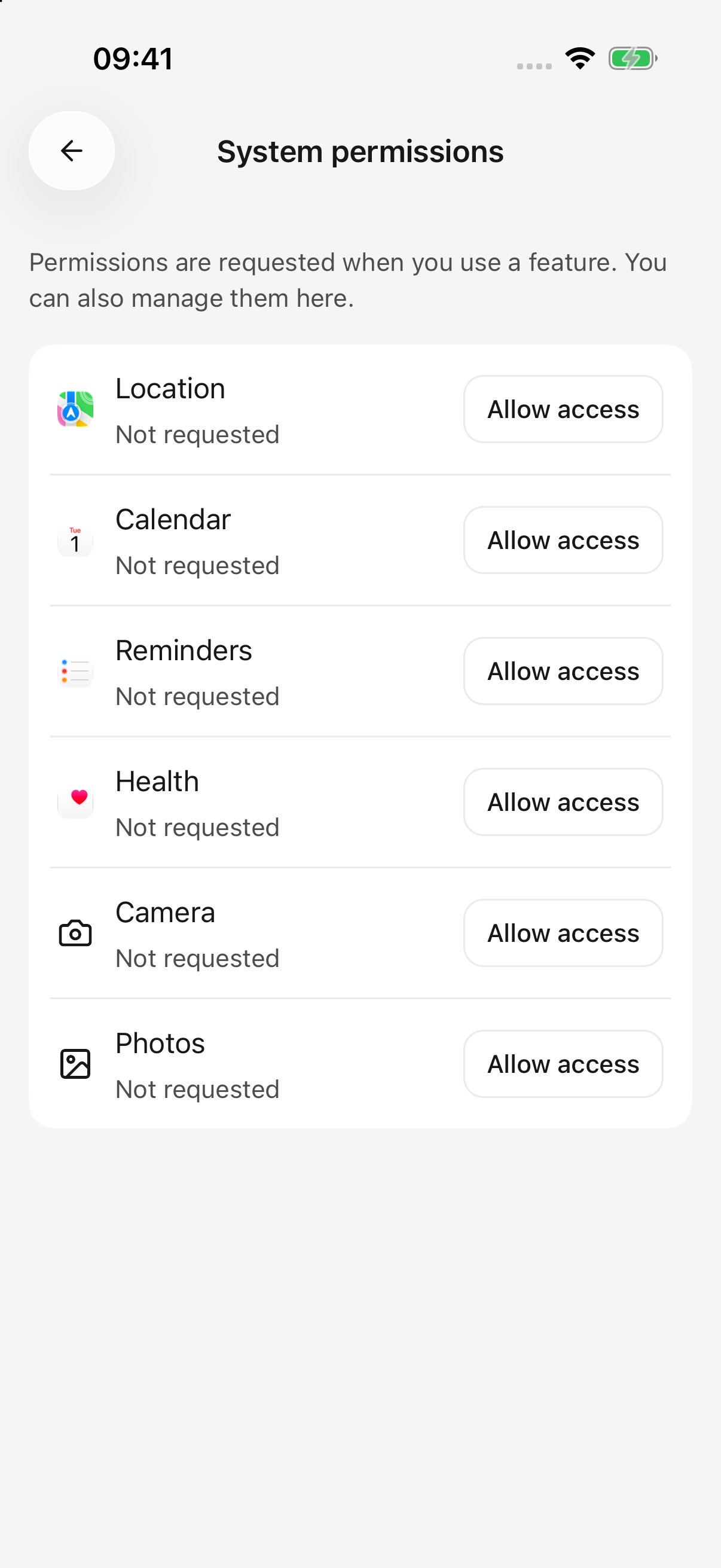
iPhone · System permissions are separate from the agent's capability switches
To stop one agent using a capability, turn off its switch. To revoke the app's system access, follow the permission page's instructions to the relevant system settings.
Get your location, then search nearby
Start with:
Get my current location. Tell me approximately which area I am in and when this position was obtained.
For nearby places or routes, combine it with a connected Amap plugin:
Get my current location, then use Amap to find nearby metro stations. List their names and addresses.
These steps have separate requirements: phone location needs system permission, while map queries need the Amap connection. Connecting Amap alone does not read your phone's location.
Can I plan a route without granting location access?
Yes. Provide the starting point and destination yourself:
Use Amap to find public transport routes from People's Square in Shanghai to Hongqiao Railway Station. Compare transfers and estimated duration without reading my phone's location.
The built-in location tool obtains a current foreground position. It does not provide continuous tracking, background location, or turn-by-turn navigation. Route descriptions come from the map service; one location reading is not live navigation.
Location fails, or coordinates have no address
- Check that system location services and Cherry Studio's permission are enabled, and keep the app in the foreground.
- Indoor reception, the device, and system accuracy affect results. A timeout does not necessarily mean permission was denied.
- Converting coordinates into a written address can fail separately. Coordinates without an address do not mean the entire location request failed.
- Resolve the reported cause before explicitly retrying, or provide a city, landmark, or starting address instead.
Summarize health records on iOS
Current tools can read these recorded data types:
| Category | Available information |
|---|---|
| Daily activity | Steps, active energy, walking and running distance |
| Heart measurements | Heart rate, resting heart rate, heart rate variability |
| Sleep | Recorded sleep duration |
| Workouts | Recorded workouts within a date range |
Authorize only the types you need. A step summary does not require sharing heart or sleep data. Current tools read records; they cannot write or delete Health records. Android currently does not offer these health tools.
Example requests:
Read the last seven days of recorded steps and walking/running distance, grouped by day. Label missing days “No available records”; do not fill them with zero.
Summarize last week's recorded sleep duration and identify dates with missing records.
List this month's recorded workouts, state how many were returned, and explain if the list may be incomplete.
A query can span at most 90 days. Without dates, tools default to the last seven days. Workout lists default to 20 records and allow at most 50 per call. Query shorter periods when there are more records.
Why are results empty or partial?
The system may have no matching records, the data type may lack authorization, historical records may be unavailable, or one metric may fail to load. An empty result does not mean zero steps or no exercise. iOS does not fully disclose read denials, so the app cannot distinguish these cases from an empty result alone.
Check the dates and records in the system Health app, then review access for the specific type. Try a shorter range and one metric at a time. Ask the agent to state missing data rather than treating an incomplete result as a complete trend.
Location and health results may be sent to your selected model service as part of the conversation. See Data, Privacy, and Permissions.