
Data, privacy, and permissions
Conversations and configuration are stored on the current device. Cloud models and connected tools still receive the information needed for your requests.
Where does data go?
| Feature | Data involved |
|---|---|
| Cloud chat/image generation | The selected provider receives messages, participating history, images, parsed document content, or drawing prompts |
| Search/page reading | The selected service receives keywords or URLs; returned material participates in model answers |
| Plugins/custom tools | Connected services process authorized requests; retrieved content may be provided to the model |
| Calendar, reminders, location | Authorized device information is read or changed; relevant results can participate in answers |
| Desktop import | Selected provider addresses, keys, and supported model configuration transfer over the local network |
Retention depends on each service's policy and account settings. Local storage does not make a cloud conversation entirely offline.
Anonymous usage and error reports
First use or a privacy-policy update asks you to Agree and continue or Disagree after explaining anonymous data use. Change your choice later in Settings → Privacy.
- Share anonymous usage data: includes installation identity, app/system versions, models used, and token quantities; not conversation text, files, or API keys.
- Send anonymous error reports: helps investigate crashes and failures, with a separate setting.
Disabling usage reporting does not block messages you send to model providers or revoke plugin access. Manage those connections separately.
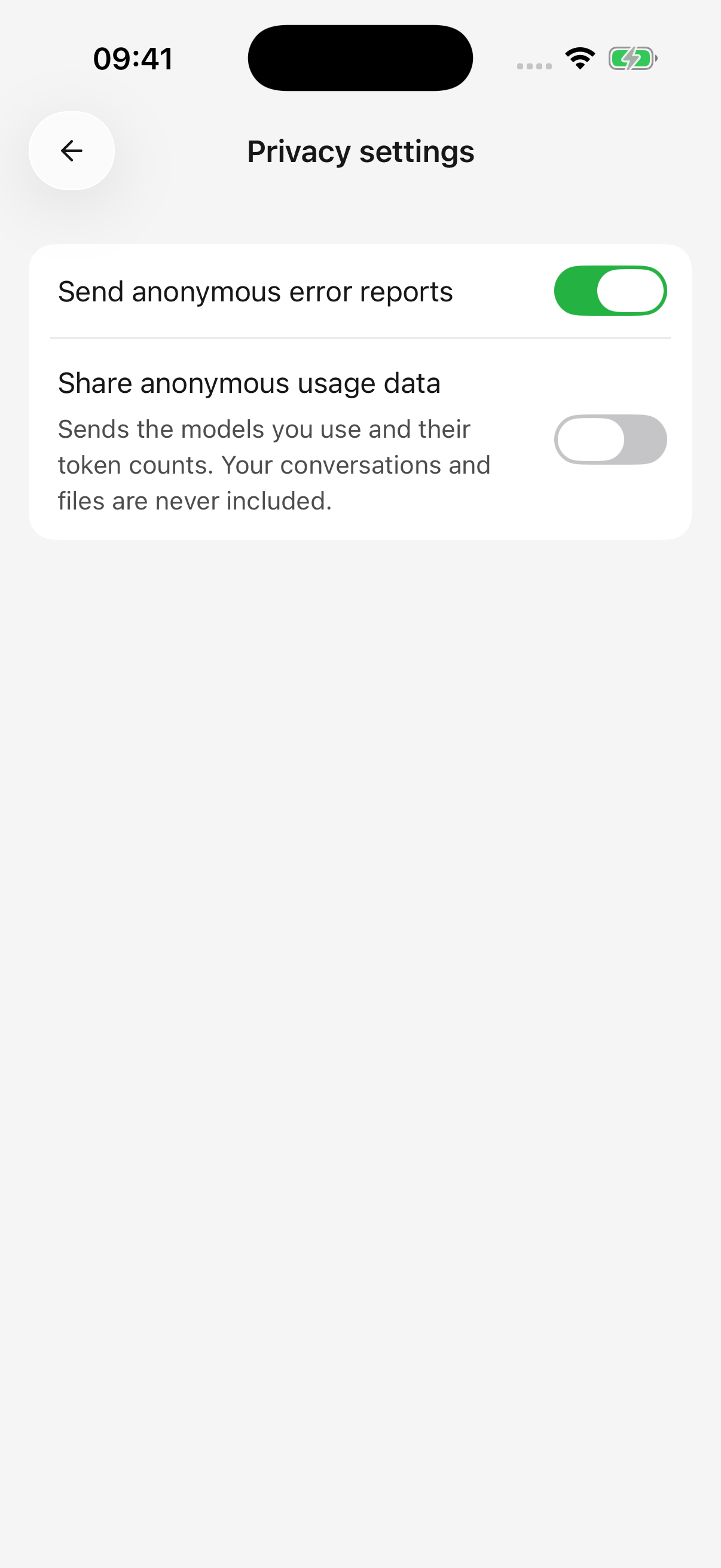
iPhone · Anonymous error reports and usage data are independent options
Keys and plugin authorization
API keys grant model-service access. Keep them out of agent instructions, public screenshots, and issue reports. If exposed, revoke the key at the provider and replace it in the app.
Built-in plugin credentials use device secure storage and are not transferred by desktop import. Static authentication headers for custom MCP servers are stored locally with server configuration and also need careful handling.
Manage system permissions
Open Settings → System permissions. Tool approval and operating-system authorization can appear separately and both may be required.
| Symptom | What to check |
|---|---|
| Only some photos are visible | Selected-photo access may be enabled; adjust the system selection/permission |
| No prompt after denying access | Change Cherry Studio permissions in system settings |
| Calendar reads work but edits do not | Check read and write permissions separately |
| No health records | Confirm records exist and that data type is authorized |
| Pairing works but configuration cannot load | Check local-network access and desktop import |
Agent capability switches control whether that agent can use the related built-in tools; system permissions control the app’s access to device data. Manage plugins and custom MCP tools separately. Disabling an agent’s capability does not revoke system permission; use system settings to revoke access. Automatic tool approval does not bypass system permissions. Android currently does not offer the iOS reminder and health-record tools.
Before changing devices or removing app data
Device pairing is not a full backup or automatic chat sync. It mainly imports provider configuration and models, not conversation history.
Export important messages and files before uninstalling, clearing app data, or changing devices. Save them outside Cherry Studio or on another device and confirm they open. A copy only in the app file library can be deleted with the app data. Images, HTML, and Markdown preserve work but are not restorable backups of all app settings.
Does deleting history undo actions?
No. Deletion or answering again does not undo calendar changes, edited external documents, or sent messages, and does not refund model costs. Inspect the actual result in the relevant service if reversal is needed.
What should a bug report include?
Include the app/device/system versions, steps, expected result, actual result, and error text. Redact real keys, credential-bearing URLs, private conversations, and file contents before publishing screenshots or details.